

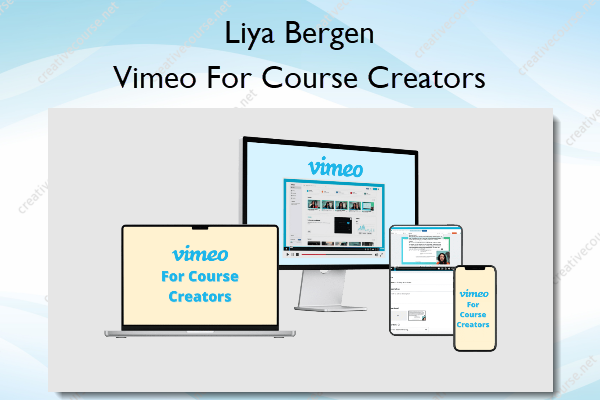
Vimeo For Course Creators – Liya Bergen
Original price was: $22.00.$9.00Current price is: $9.00.
»Product Delivery: Within 7 days
 Vimeo For Course Creators Information
Vimeo For Course Creators by Liya Bergen is designed to simplify the video creation process for course creators by leveraging Vimeo’s integrated tools for recording, editing, branding, and hosting.
Learn How to Use Vimeo’s Built-In Tools to Record, Edit, and Brand Your Videos Quickly and Professionally
You’re in the right place if this sounds like you
- You want an all-in-one solution to streamline your video workflow. Switching between multiple tools for recording, editing, and hosting feels like a time drain. You want a simple, efficient way to create and manage your videos in one place.
- You struggle with embedding and sharing your videos or searching for such tool. You’ve tried embedding YouTube videos into your course platform, but you wish there was a more customizable option—without YouTube’s end screen cluttered with unrelated videos from others.
- You’re tired of feeling overwhelmed by complex video editing software. You’ve spent hours trying to figure out how to use complicated tools, only to end up frustrated and with videos that don’t meet your standards.
INTRODUCING…
Vimeo For Course Creators
Learn how to seamlessly create, edit, and host all your course videos using just Vimeo.
Most course creators think Vimeo is just a video hosting platform, but it’s so much more! Imagine having the power to record, edit with Vimeo AI, and host your videos in one place.
What You’ll Learn In Vimeo For Course Creators?
Recording with Vimeo
Vimeo isn’t just for hosting videos—it’s a powerful recording tool that simplifies the entire process.
With its built-in recording feature and teleprompter, you can create high-quality, professional videos directly from your browser.
I’ll show you how to use Vimeo’s recording capabilities to capture your lessons, webinars, and workshops effortlessly.
Editing with Vimeo
Vimeo offers an AI-powered editing suite that allows you to polish your videos right where you recorded them.
From trimming unwanted sections to adding custom branding, Vimeo’s editing tools make it easy to produce professional-quality videos without the steep learning curve.
I’ll guide you through each feature, showing you how to enhance your videos quickly and efficiently.
Branding with Vimeo
Make your videos uniquely yours by leveraging Vimeo’s powerful branding tools.
In this lesson, I’ll show you how to add your logo, customize colors, and use Vimeo’s advanced settings to maintain a consistent brand presence across all your videos. You’ll learn how to create a seamless viewing experience that not only looks professional but also reinforces your brand identity, helping you stand out and build trust with your audience.
Webinars with Vimeo
Hosting webinars can be a game-changer for course creators, and Vimeo makes it easier than ever.
You can host live or pre-recorded webinars that engage and educate your audience. I’ll guide you through the process of setting up and delivering webinars on Vimeo, complete with interactive features like live Q&A and chat.
More courses from the same author: Liya Bergen
Be the first to review “Vimeo For Course Creators – Liya Bergen”
You must be logged in to post a review.
Related products




Reviews
There are no reviews yet.