


Prototyping with Cursor – Elizabeth Lin
Original price was: $350.00.$9.00Current price is: $9.00.
 Prototyping with Cursor Information
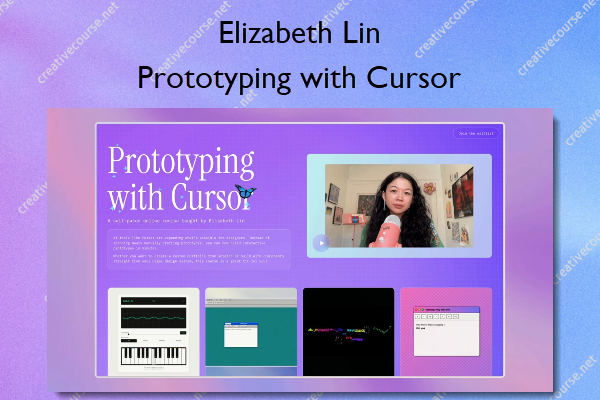
A self-paced online course taught by Elizabeth Lin
AI tools like Cursor are expanding what’s possible for designers and non-developers. Instead of spending hours manually crafting prototypes, you can now build interactive prototypes in minutes.
Whether you want to create a custom portfolio from scratch or build with components straight from your Figma design system, this course is a great fit for you!
Explore two ways of working with Cursor
Creative exploration
How can Cursor be a creative partner in your work? What novel ideas can you generate with the help of an LLM? Design with a variety of visual styles, explore creative typography, and create a working piano.
Technical execution
What are practical ways for using Cursor in your design process? Using a Model Context Protocol (MCP), convert a design system into components for building pixel perfect prototypes. Learn to build prototypes with real data.
What You’ll Learn In Prototyping with Cursor?
Foundations: Getting started
Learn the basics of Cursor, set up your development environment, and practice git basics.
Project 01: Customize your homepage
Personalize your project’s landing page with visual styles and creative prompts.
Lesson: Debugging 101
Master essential debugging techniques to fix errors in your code.
Lesson: Deploy your website
Publish your projects to the web using Vercel.
Project 02: Make a piano
Create a working interactive piano.
Project 03: Play with type
Explore CSS typography effects and animations beyond traditional design tools.
Lesson: Rules
Learn to create global and project-specific rules to guide Cursor’s behavior.
Project 04: Note-taking interface
Create a window-based note app with rich text editing.
Project 05: Digital bookshelf
Build a database-powered prototype using the Notion API.
Lesson: Your first MCP
Connect Cursor to external apps like Figma using Model Context Protocol.
Lesson: Start from scratch
Set up a Next.js project independently and connect it to GitHub.
Project 06: Design library
Convert Figma design systems into reusable code components.
Project 07: Remix an arcade game
Build a game using AI-generated starter templates.
More courses from the same author: Elizabeth Lin
Be the first to review “Prototyping with Cursor – Elizabeth Lin”
You must be logged in to post a review.
Related products


Reviews
There are no reviews yet.