



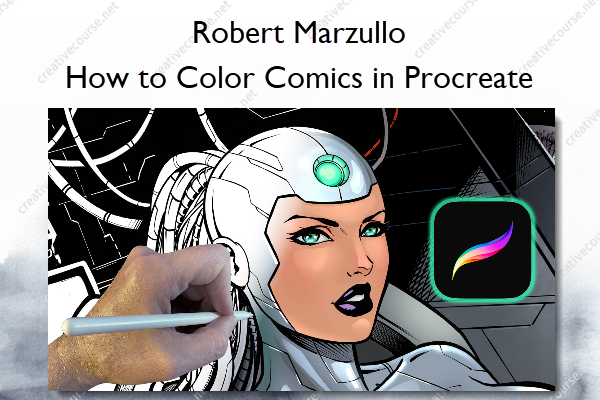
How to Color Comics in Procreate – Robert Marzullo
Original price was: $20.00.$10.00Current price is: $10.00.
»Product Delivery: Within 7 days
 How to Color Comics in Procreate Information
How to Color Comics in Procreate by Robert Marzullo is a course that teaches a straightforward and efficient method to color comic-style artwork using the Procreate app.
Learn a simple and effective process to colorize your comic style artwork using the Procreate app.
In this course you will learn how to apply color and effects in Procreate in a step by step fashion. I will supply you with the art file and brushes that I use so that you can follow along as we complete the coloring process on this comic style artwork. This course in almost entirely in real time except for one small section where the work is redundant. This allows you to see exactly how I maneuver through my coloring process.
Throughout this course you will learn why Procreate is an exceptional way to color your comics. It has some of the best features available with a light interface that allows you to move more freely through the process. I will show you how to use the following features –
- Blending Modes ( Brush and Layer Level )
- Freehand Selection Tool
- Clipping Masks
- Hard and Soft Edge Effects
- Hue – Saturation – Brightness
- Hand Gestures
- Luminance Brushes
You will learn what these tools are but more importantly, how to use them. I show you how Clipping Masks help you to work in a non-destructive manner. That way you can test the effects you want to see within your work but not waste time having to start over if you don’t like the end result.
Make sure to share your finished art in the course or on your favorite social media. I would love to see it. I am here I you have any questions along the way as you complete this course.
What You’ll Learn In How to Color Comics in Procreate?
Introduction to this Course
- Introduction to this Course
Getting Started
- Preparing the Artwork
- Flatting the Work
- Flatting the Work – Part 2
- Flatting the Work – Final
Adding the Base Colors to the Artwork
- Adding Color to the Wall
- Adding Soft Shadows
- Adding Highlights to the Suit
- Adding Shadows to the Suit
- Coloring the Face
- Coloring the Wires
Final Adjustments to this Artwork
- Additional Lighting Effects
- Additional Details
- Coloring the Planets
- Adding More Effects to the Character
- Textures and Details
- Making Adjustments
- Final Note
More courses from the same author: Robert Marzullo
Be the first to review “How to Color Comics in Procreate – Robert Marzullo”
You must be logged in to post a review.
Related products


Reviews
There are no reviews yet.